
2026 Monthly Report (July 01 - July 31)

Recently, we’ve introduced and updated some new features, including semantic AI caching and load balancing, broader AI content moderation, cross-node AI rate limiting, safer plugin body buffering, and enhanced observability. For more details, please read this month’s newsletter.
Introduction
From its inception, the Apache APISIX project has embraced the ethos of open-source community collaboration, propelling it into the ranks of the most active global open-source API gateway projects. The proverbial wisdom of ‘teamwork makes the dream work’ rings true in our way and is made possible by the collective effort of our community.
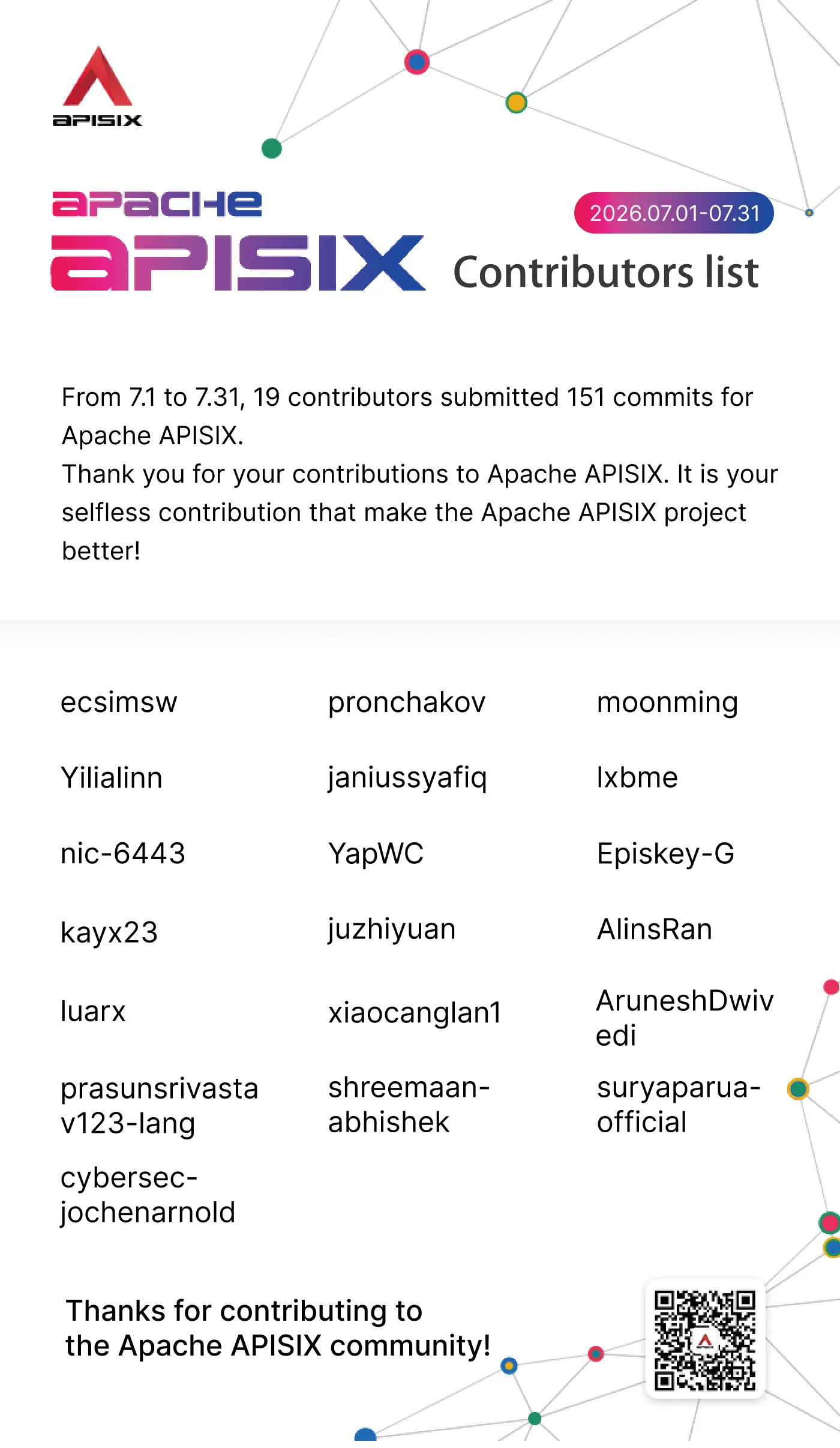
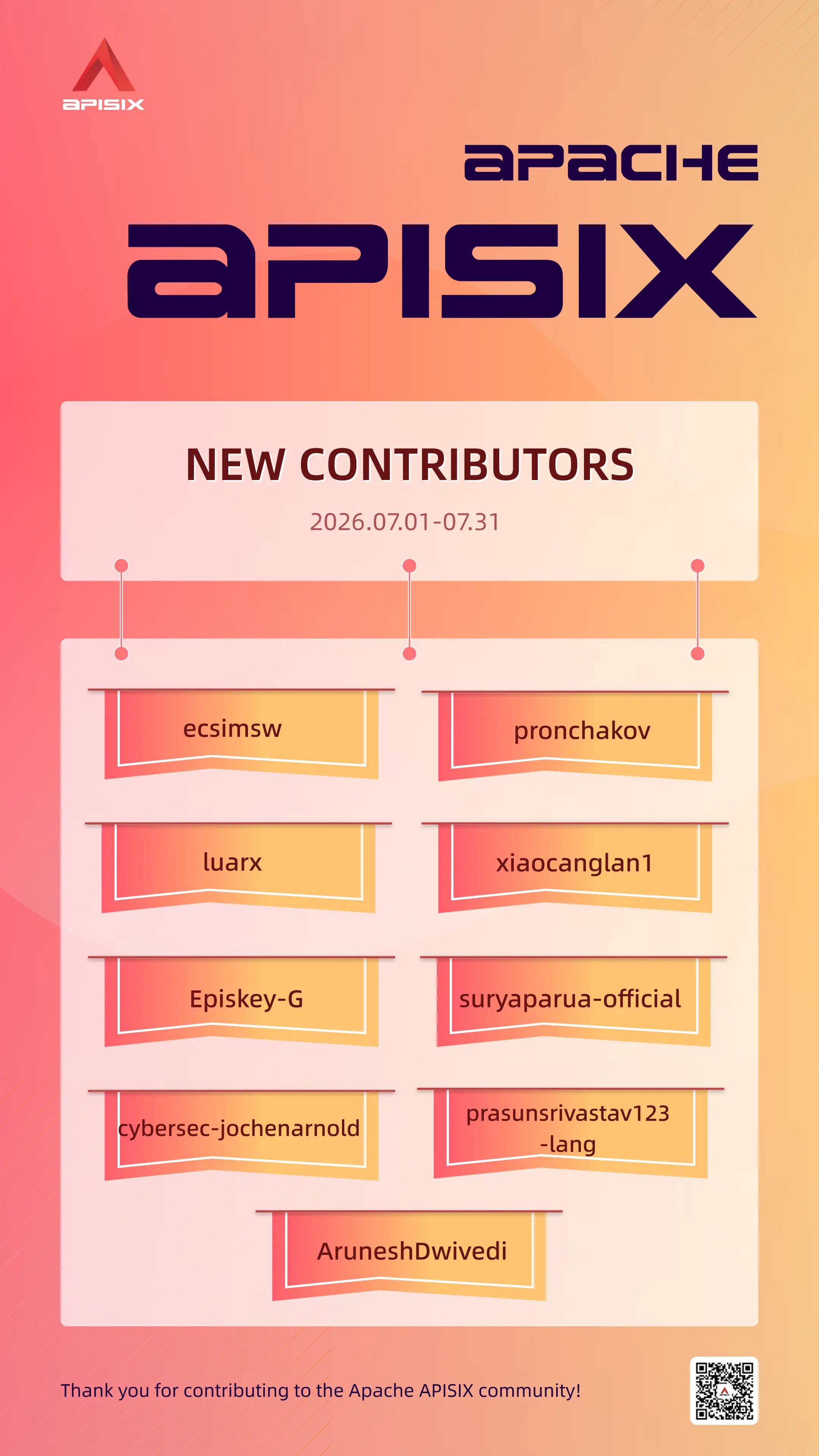
From July 1st to July 31st, 19 contributors made 151 commits to Apache APISIX. We sincerely appreciate your contributions to Apache APISIX.
Contributor Statistics
Feature Highlights
Here are the key updates from this month, grouped by capability area.
AI Gateway Caching, Routing, and Rate Limiting
1. Add a Semantic Cache Layer to ai-cache
PR: https://github.com/apache/apisix/pull/13632
Contributor: janiussyafiq
This PR adds an optional semantic (L2) layer to ai-cache. After an exact-cache miss, APISIX can embed the prompt and search a RediSearch vector index for a sufficiently similar response, while preserving tenant and model isolation and failing open if the embedding or vector store is unavailable.
2. Cache Streaming Responses in ai-cache
PR: https://github.com/apache/apisix/pull/13644
Contributor: janiussyafiq
This PR extends ai-cache to capture complete SSE responses and replay them with the correct content type on cache hits. Cache entries are tagged as JSON or SSE, and shared Redis connection and error handling make both streaming and backfill paths more resilient.
3. Share ai-rate-limiting Counters Through Redis
PR: https://github.com/apache/apisix/pull/13670
Contributor: shreemaan-abhishek
This PR adds Redis, Redis Cluster, and Redis Sentinel policies to ai-rate-limiting. Centralized token counters enforce one quota across all APISIX nodes instead of multiplying the effective allowance by the cluster size; the existing local policy remains the default.
4. Add Semantic Load Balancing to ai-proxy-multi
PR: https://github.com/apache/apisix/pull/13676
Contributor: AlinsRan
This PR adds a semantic load-balancing algorithm that selects an LLM instance according to the meaning of the incoming prompt. APISIX embeds instance examples once, compares each request with the cached reference vectors, and falls back to a catch-all instance if embedding or similarity evaluation fails, enabling cost- and capability-aware routing without an external classifier.
AI Gateway Security and Observability
5. Add Prometheus Metrics for AI Cache Performance
PR: https://github.com/apache/apisix/pull/13659
Contributor: janiussyafiq
This PR adds Prometheus counters for AI cache hits, misses, and bypasses, together with a histogram for embedding latency. The new metrics distinguish exact and semantic hits and reuse the existing LLM label set, giving operators a consistent view of cache effectiveness and embedding overhead.
6. Moderate System and Tool Content with ai-aliyun-content-moderation
PR: https://github.com/apache/apisix/pull/13646
Contributor: AlinsRan
This PR lets ai-aliyun-content-moderation inspect system prompts and, in OpenAI-compatible formats, standalone tool-role results in addition to user messages, covering indirect prompt-injection risks in agent and MCP workflows. The new request_check_roles option defaults to ["user"], so existing configurations keep their previous behavior.
7. Moderate LLM Responses with ai-aws-content-moderation
PR: https://github.com/apache/apisix/pull/13735
Contributor: shreemaan-abhishek
This PR extends ai-aws-content-moderation from request-only checks to non-streaming and streaming LLM responses. Non-streaming checks can return a provider-compatible refusal, while real-time streaming checks can replace the remainder of a toxic stream; the default final_packet mode audits the assembled stream and annotates its final SSE events with risk_level. Response checks remain disabled by default.
Traffic Handling and Upstream Health
8. Preserve Encoded Slashes When Matching Path Parameters
PR: https://github.com/apache/apisix/pull/13626
Contributor: AlinsRan
This PR adds the opt-in apisix.match_uri_encoded_slash option, allowing %2F to remain encoded while APISIX matches path parameters. It enables routes such as /v1/:id/products/:type/list to accept identifiers containing encoded slashes while conservatively falling back to NGINX’s normalized URI for ambiguous or unsafe paths.
9. Preserve Client Addresses Across Stream PROXY Protocol Hops
PR: https://github.com/apache/apisix/pull/13700
Contributor: nic-6443
This PR adds nginx_config.stream.real_ip_from, the stream counterpart to the existing HTTP setting. When APISIX trusts the connected load balancer, it can use the address from an inbound PROXY protocol header for stream access logs, IP-based policies, and the PROXY header sent to the upstream.
10. Set or Add Multiple Headers with the Same Name
PR: https://github.com/apache/apisix/pull/13597
Contributor: AlinsRan
This PR allows proxy-rewrite values under headers.set and headers.add to be arrays. Routes can now replace or append repeated headers such as gRPC metadata without changing the behavior of existing scalar configurations, and each array element can still use NGINX variables and regular-expression captures.
11. Customize Active Health Check Methods and Bodies
PR: https://github.com/apache/apisix/pull/13726
Contributor: AlinsRan
This PR adds http_method and http_req_body to active upstream health checks. Operators can probe endpoints that require a realistic POST body, such as an LLM chat-completion endpoint, while the default remains a bodyless GET for backward compatibility.
Platform Reliability and Integrations
12. Increase Default Sizes for Non-Evictable Shared Dictionaries
PR: https://github.com/apache/apisix/pull/13688
Contributor: nic-6443
This PR raises the default capacities of shared dictionaries used by Prometheus, service discovery, and tracing. Because these dictionaries cannot evict old entries, the larger defaults reduce silently dropped metrics, unresolved upstream nodes, and lost trace spans in medium and large deployments, while explicit user settings continue to take precedence.
13. Connect Kafka Logger Plugins to TLS-Enabled Brokers
PR: https://github.com/apache/apisix/pull/13607
Contributor: ecsimsw
This PR exposes TLS settings in both kafka-logger and error-log-logger, enabling secure connections to brokers such as TLS-only AWS MSK clusters. Users can enable TLS and certificate verification through a dedicated configuration object designed to accommodate future mTLS support.
Gateway Security and Identity
14. Bound Request and Response Body Buffering in Plugins
PR: https://github.com/apache/apisix/pull/13705
Contributor: shreemaan-abhishek
This PR adds configurable request and response body size limits, defaulting to 64 MiB, to plugins that buffer entire bodies in worker memory. Oversized requests are rejected, while response-side plugins truncate or stream data through uncached as appropriate, reducing the risk of unbounded memory consumption.
15. Forward the Raw Signed ID Token to Upstreams
PR: https://github.com/apache/apisix/pull/13616
Contributor: luarx
This PR adds the set_raw_id_token_header option to openid-connect, allowing the original signed ID token JWT to be forwarded through X-Raw-ID-Token during the full OIDC session flow. Unlike the decoded claims in X-ID-Token, the raw token can be verified against the identity provider’s JWKS, and APISIX clears any client-supplied value before setting the header; bearer and introspection flows are not supported because they have no session.
Conclusion
The official website and GitHub Issues of Apache APISIX provide a wealth of documentation of tutorials, and real-world use cases. If you encounter any issues, you can refer to the documentation, search for keywords in Issues, or participate in discussions on Issues to share your ideas and practical experiences.